Showing posts with label custom fonts. Show all posts

Tuesday, June 9, 2009

Japanese, Hebrew, and Greek Fonts

Because i want to learn and do more with Greek and Hebrew, I decided to take the plunge and install Hebrew and Greek fonts on my computer. I downloaded from BibleWorks website.


I also downloaded Japanese fonts while I was at it.


Here is how you install fonts on Windows XP
  1. Click Start | Settings | Control Panel and then double click the "Fonts" icon.
  2. In the Fonts applet click File | Install New Font.
  3. In the Add Fonts Dialog, navigate to the folder where the extracted fonts are located.
  4. Select the fonts and then click OK. The fonts are now installed.

Monday, March 30, 2009

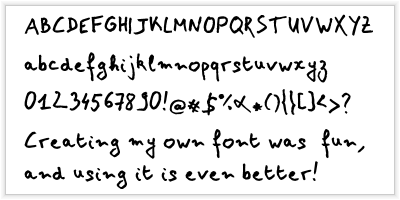
Make Your Own Font


I found a website that allows you to make your own fonts. It’s easy. They provide a template that you download. You then write in all the letters and symbols you want as a part of your font. And then you scan the templates into a *.tiff image files and upload them back into the site. Then you can download a font and install it into you r computer. It is really slick! T think I really need to upload another version because my handwriting is not all that great.


To make your own font, You can go to the following website for more information:

http://www.yourfonts.com/


In case I can't get my font to show up on my blog post I've embedded the page below.