Introduction to Article
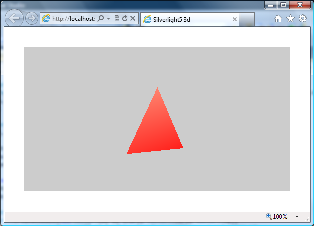
This article presents the simplest possible Silverlight/XNA program: a basic spinning triangle, albeit with full 3d lighting effects. It is the 3D equivalent of the classic ‘Hello World’ program. It comprises about 50 lines of code, and the rationale behind every line is explained.
3D basics using Silverlight-5 and XNA - CodeProject
 Image via Wikipedia
Introduction to Article
As you may know, Silverlight 4 introduced the support for a basic printing functionality, through its Printing API (based on the PrintDocument class). This API allows you to send to a printer (in a bitmap-based way) your application screen, a portion of it, or an alternative custom visual-tree properly constructed.
In Silverlight, the printing support is limited in some ways for security reasons; for example:
- the print operation must be user-initiated (that is: only permitted in the context of a handler that handles a user event);
- the "Print" dialog box (that is the window depicted below, where the user can select the printer's settings and then click "Print" to continue or "Cancel" to cancel the print operation) is always shown.
Silent printing in Silverlight - CodeProject
Introduction to Article
The first thing to know about Silverlight 5 is that it’s currently in beta, means that it definitely has bugs, and it also not yet feature-complete; some features are going to be shipped later in the final version. In addition, being in beta means that no go-live license available, this is for internal use and testing only so do not install on user’s machine.
Worth mentioning that Silverlight 5 was first announced at PDC 2010 conference (October 2010) and the beta version was shipped later at MIX11 (April 2011,) and the final version will be released soon this year.
What’s New in Silverlight 5? - CodeProject