Pytube is a Python library for generating Python scripts for manipulating YouTube.
Pytube | Python library to download youtube videos - GeeksforGeeks: A Computer Science portal for geeks. It contains well written, well thought and well explained computer science and programming articles, quizzes and practice/competitive programming/company interview Questions.
Showing posts with label Google. Show all posts
Showing posts with label Google. Show all posts
Saturday, October 26, 2019


Sunday, September 22, 2019
A Tour of Go

A Tour of Go
Friday, February 26, 2016

cardboard-games | all about google VR cardboard and Virtual reality games

cardboard-games | all about google VR cardboard and Virtual reality games
Thursday, May 22, 2014
How To Publish Your EPaper or Ebook For Free Using Google Drive | TutorialFeed
Intro
How To Publish Your EPaper or Ebook For Free Using Google Drive | TutorialFeed
Hello my dear readers recently I have tried that how to publish any
epaper or emagazine in your website or blog for free. I have looked
certain ways but that was neither good nor freely available.
Then I tried Google Drive and found that how easily we can publish
any epaper or emagazine to website or blog. After reading the whole post
below you'll find that how easily you'll be able to publish your epaper
or emagazine.
This post is very helpful those who has print magazine or paper and want to publish online in their website or blog.
In this post I am going to share that how you can publish any epaper or emagazine to your website or blog.
Please follow the steps below:
How To Publish Your EPaper or Ebook For Free Using Google Drive | TutorialFeed
Saturday, May 10, 2014
Creating and Invoking an Activity in Droidio (Android Studio) - CodeProject

Creating and Invoking an Activity in Droidio (Android Studio) - CodeProject
Here is a link to Droido
Monday, March 3, 2014

Tuesday, January 14, 2014
Google2SRT - Download and convert subtitles from YouTube and Google Video - Home
Here is an awesome Java program for downloading subtitles from a YouTube video as an SRT file! It works really good!
Google2SRT - Download and convert subtitles from YouTube and Google Video - Home
Google2SRT - Download and convert subtitles from YouTube and Google Video - Home
Thursday, November 21, 2013
Using MVC to Understand ASP.NET, iOS, Android and Hybrid Development - CodeProject
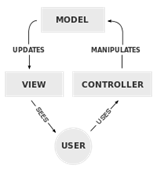
Using MVC to Understand ASP.NET, iOS, Android and Hybrid Development - CodeProject
Friday, June 21, 2013
Wednesday, April 17, 2013
How to Write Your Own Siri Application (Mobile Assistant Application) - CodeProject
 |
| Siri HAL-9000 (Photo credit: AcidZero) |
How to Write Your Own Siri Application (Mobile Assistant Application) - CodeProject

Monday, April 15, 2013
Wednesday, February 20, 2013
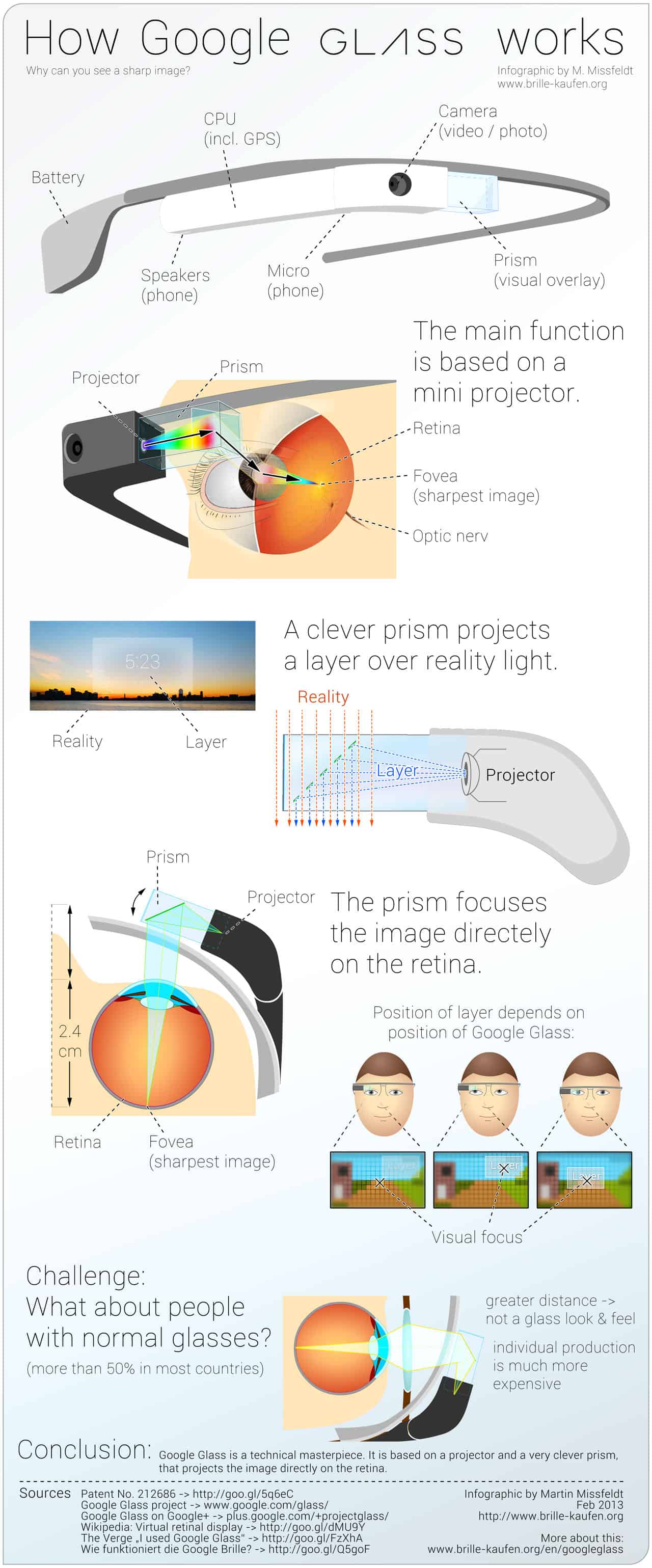
How It Feels [through Glass] - YouTube
 |
| Image via CrunchBase |
How It Feels [through Glass] - YouTube

Thursday, January 17, 2013
Mobile, Tablet and Desktop Development All at The Same Time - CodeProject

DXTREME from DevExpress. For US$899, it sells itself as enabling you to create hybrid apps for iOS, Android, Windows 8 and the web all in one toolset with a single codebase. While this is not necessarily something new, DevExpress does more than just cross compilation taking it further by also augmenting your app’s design so that you can create native looking apps for each platform without having to do so much heavy lifting. One codebase, but your iOS app look like a cocoa-touch interface, and your Android app follows similar modern droid device specific design patterns.
Mobile, Tablet and Desktop Development All at The Same Time - CodeProject
Tuesday, January 15, 2013
Android Development – Running Android App - CodeProject

Android Development – Running Android App - CodeProject
Tuesday, November 27, 2012
Running Android Apps on Emulator - CodeProject

This is basically a non-programming article in which I am describing how to install Android apps on an emulator.
Many times we come across situations when we cannot run a much liked Android application on a device. Either we do not have a device to test our application, or we do not have space to install the application on our device, or simply we want to test an application before installing it on our device. In such cases, the emulator provided by the Android SDK comes to the rescue.
In this article, I will show how to create an SD card to be used by the Android emulator, how to mount the SD card and copy applications to the SD card. Once the app is copied to the emulator, it can be installed in the same way as installing on a real device. I am assuming here that the Android SDK has been installed on the computer.
As an example, I am showing how to install the AngryBirds game on the emulator.
Running Android Apps on Emulator - CodeProject

Monday, November 26, 2012
Android Developers Blog: Designing for Tablets? We’re Here to Help!
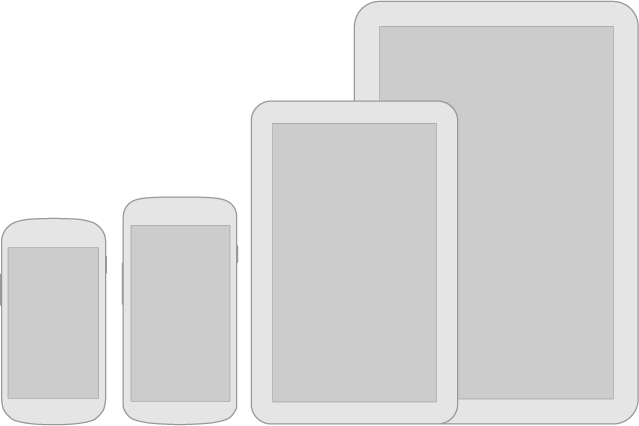
Android Developers Blog: Designing for Tablets? We’re Here to Help!

Saturday, November 24, 2012
TecTiles: programmable NFC stickers for select members of Samsung's Galaxy

Samsung TecTiles is a two-part process. Firstly, to use Samsung TecTiles you need to purchase TecTile tags, which cost $14.99 for a set of five NFC tags/chips. These tags store commands and limited data (they are not attached to devices, don't mistakenly stick it to your device). TecTile tags can be bought directly from Samsung's website or other authorized sellers. Secondly, after you have TecTile tags, you need to download Samsung TecTiles app from Google Play Store (it is free); this app is used to program the tags (store commands in them). Once you have both the tags and app, you can read from and write to the TecTile tags.
We can use the this technology to do things like programming your phone to Turn Wi-Fi or Bluetooth on and off, call home, send a prewritten text, Open a webpage, update your status on Facebook, and many other ideas.
Use Samsung TecTiles to automagically execute tasks on your Android device
TecTiles: programmable NFC stickers for select members of Samsung's Galaxy
Download the App


Friday, November 16, 2012
Wheres My Droid - Android Apps on Google Play

Wheres My Droid - Android Apps on Google Play

Subscribe to:
Posts (Atom)