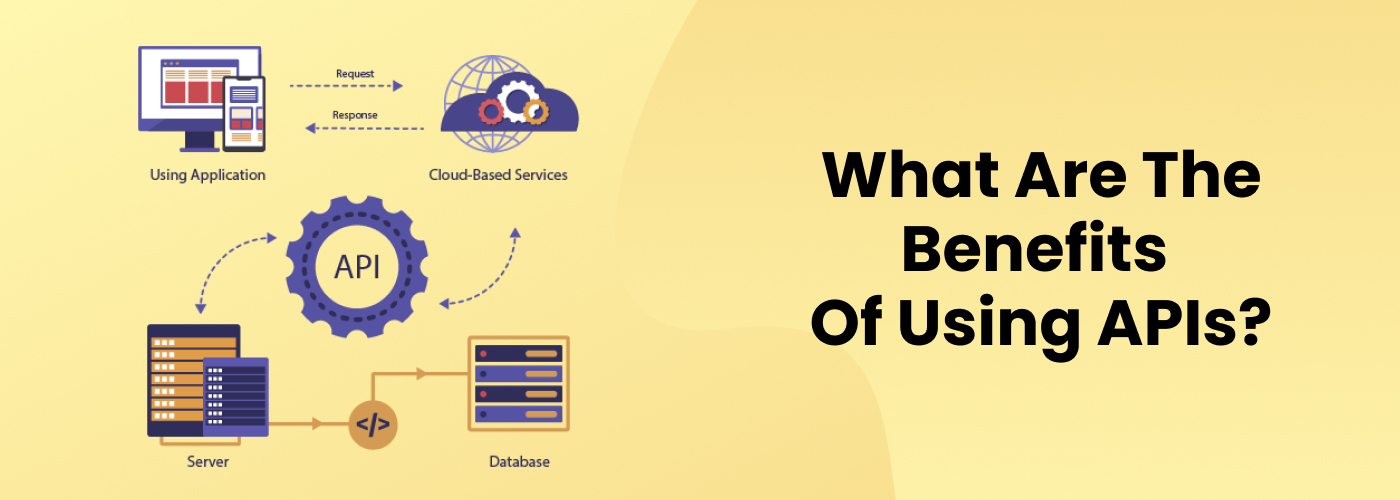
I want a way of being able to post a YouTube video onto Blogger, Facebook, X, and Tumblr. In order to do it I needed to get API's for each service. These APIs will make it possible for my scripts to talk to these platforms.
Blogger API
Create a Google Account: If you don't have one, you'll need to create a Google Account.
Visit the Google Developers Console: Go to the and sign in with your Google Account.
Create a Project: Click on "Create Project" and give it a name.
Enable the Blogger API: In the API Library, search for "Blogger" and enable the API for your project.
Create Credentials: Go to the Credentials page, click on "Create credentials," and select "API key."
Set Up OAuth 2.0: Follow the instructions to set up OAuth 2.0 for authorization.
Facebook API
Create a Facebook Developer Account: Go to the and log in with your Facebook account.
Create a New App: Click on "My Apps" and then "Create App."
Set Up the API: Choose the Facebook API and follow the setup instructions.
Generate Access Tokens: Go to the "Tools" section and use the Access Token Tool to generate user access tokens.
X (formerly Twitter) API
Create an X Account: Go to and sign up with your email or phone number.
Visit the Developer Portal: Go to the and log in with your X account.
Create an App: Click on "Create an App" and follow the instructions to set up your app.
Generate API Keys: Go to the "Keys and Tokens" tab to generate your API keys.
Tumblr API
Create a Tumblr Account: If you don't have one, sign up for a Tumblr account.
Visit the Tumblr Developer Portal: Go to the and log in with your Tumblr account.
Create an App: Click on "Create an App" and follow the instructions to set up your app.
Generate API Keys: Go to the "API Keys" section to generate your API keys.
OpenAI API
Visit the OpenAI Platform: Go to the .
Sign Up: Click on the "Sign Up" button and fill in the registration form with your basic information.
Verify Your Email: OpenAI will send a verification email. Verify your email address to complete the sign-up process.
Create API Keys: After signing up, go to your profile icon and select "View API Keys." Click "Create New Secret Key" to generate a new API key.
Gemini API
Visit the Gemini API Page: Go to the .
Sign In: Sign in with your Google account.
Create an API Key: In Google AI Studio, go to the API section and create a new API key.
Set Up Your Environment: Configure your API key as an environment variable on your local machine.
Copilot API
Visit the Copilot API Documentation: Go to the .
Sign Up: Sign up for a Copilot account if you don't already have one.
Create API Keys: Go to the Settings > API page and click "Create key" to generate your API key.
Set Up Webhooks: If needed, create webhooks on the same page.