Showing posts with label Smartphone. Show all posts

Friday, March 22, 2013

Android Phone Status Sample - CodeProject

Samsung Galaxy S Captivate Android Smartphone ...
Samsung Galaxy S Captivate Android Smartphone Matrix 3D Live Wallpaper (Photo credit: Calgary Reviews)
Intro

This article shall make use of API’s inside android.telephony and android.os.batterymanager packages present in the Android SDK to create a simple yet smart application to display the phone details, battery status and data connectivity status of an Android Smartphone. 

Android Phone Status Sample - CodeProject
Enhanced by Zemanta

Tuesday, February 19, 2013

Detecting incoming and outgoing phone calls on Android. - CodeProject

The Android Emulator home screen.
The Android Emulator home screen. (Photo credit: Wikipedia)
Check this out.

How to detect incoming and outgoing phone calls on Android platform. It can be useful, if you need to perform some action when call is made. For example, to block it, to log it, or send call info to a server.

Detecting incoming and outgoing phone calls on Android. - CodeProject
Enhanced by Zemanta

Tuesday, July 17, 2012

Visual Studio debug console for iPhone - CodeProject

Introduction to Article by
Jaime Olivares


The following article has two purposes:
  • From the architectural perspective: To show an approach to integrate Windows applications with smarthphone and tablet applications through HTML5 WebSockets.
  • From the software engineering perspective: To show a concrete and useful case of a Visual Studio remote debugging console on iPhones, extensible to Android devices.
It is not a goal of this article to provide a final and polished solution, the source code and applications provided are just for demonstrating the concept. Although the .net application uses the WPF library, it can be used with any UI library.


Visual Studio debug console for iPhone - CodeProject

Wednesday, February 22, 2012

Google Is Planning Pricey Glasses With An Augmented Reality Heads-Up Display, May Sell Them By Year's End | Hello Android

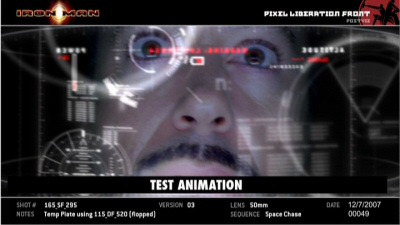
I love the idea of personal heads-up displays (HUDs)! I know the goal is like what we see in Science fiction like Iron Man, but I think it's possible. My only question is what about if you already wear glasses?

Google Is Planning Pricey Glasses With An Augmented Reality Heads-Up Display, May Sell Them By Year's End | Hello Android
Enhanced by Zemanta

Monday, October 3, 2011

Cloud Print - Android Market

Here is a great free app for printing from your Android smart phone.

Cloud print allows you to print files from your phone to your printer. In order to do this it uses the new Google Cloud Print service you should configure your pc following this guide:
http://www.google.com/landing/cloudprint/
NEW: if you have a HP E-Print enabled printer you don't even need your pc to be on!
As this app uses a beta service, it is also beta itself so be gentle on the comments :) and don't hesitate in send an email with ideas/suggestions.
Now with internal file browser that allows you to print from the app and with support for: pdf,jpg,jpeg,docx,ods,xls,xlsx,ppt,odp,txt,doc,xps
Main features:
- Share printers with friends
- mail printing
- sms printing
- print job management
- internal file browser
- webpage printing
- printer managment ( Printer options )
- Print from clipboard


Cloud Print - Android Market
Enhanced by Zemanta

Wednesday, February 23, 2011

15 Best Android Widgets for Productivity and Enjoyment | Best Blog Widgets For Free

Here is a list of useful widgets for Android!

Widgets are are an extremely cool feature on the Android which the iPhone does not have. These Android widgets are very handy and enjoyable because they are easily accessible in just a split second and can provide useful information for the user. I have compiled a list of the best android widgets for you to enjoy.


15 Best Android Widgets for Productivity and Enjoyment | Best Blog Widgets For Free
Enhanced by Zemanta

Monday, September 13, 2010

How to Root Samsung Galaxy S, AT&T Captivate, T Mobile Vibrant | Pathik Shah

Well, fairly recently I've got my hands on a Samsung Vibrant smartphone. I've been thinking about rooting my phone so I can have full access to it. IT would mean being able to upgrade it's OS to Android 2.2 and make it really easier to tether it to cell phone. The following link explains how to root a Galaxy S phone such as Vibrant.

How to Root Samsung Galaxy S, AT&T Captivate, T Mobile Vibrant | Pathik Shah
Enhanced by Zemanta

Wednesday, August 25, 2010

Anti Droid Theft - Find your stolen or lost android / google phone

This is an interesting APP. You can use it to find where your phone is located. It presents a Google Map and shows where your longitude and latitude are. When I used it at home, the address It gave was only about 95 feet off. It's even got a feature where you can make your phone take a picture and send it back to the website so you can see what environment your phone is in. Very interesting indeed!
Anti Droid Theft - Find your stolen or lost android / google phone
Enhanced by Zemanta

Tuesday, May 11, 2010

Square Makes Card-Acceptance iPhone App Available - American Banker Article

Image representing iPhone as depicted in Crunc...Image via CrunchBase
Himm a solution where you use your phone and an an add-on to be able to take credit card payments personally. I like it. I wonder when there is going to be an android version.

But Square appears to have increased the service's merchant rates since April by adding a fee of 15 cents per transaction to the card-present rate of 2.75% of the sale and the card-not-present rate of 3.5%. A Square account has no setup costs or monthly fees.
Apparently the iPhone version was released today, and the iPad version is already out. I reall need to get me one of those.

Square Makes Card-Acceptance iPhone App Available - American Banker Article
Reblog this post [with Zemanta]

Monday, May 3, 2010

Here I Am - 101 Best Android Apps


Description:

Let people know where you are! This application can send SMS or email with yourcoordinates and link to Google Maps.This link also opens in Maps application on Android and iPhone, and can be used as an endpoint for driving directions.
This app can use both GPS and Network location providers. GPS has priority since it's more accurate. Network location determines location based on availability of cell tower and WiFi access points. Results are retrieved by means of a network lookup.
Please note: to acquire its initial position fix the GPS must have a view of the sky sufficient to 'see' four to five satellites continuously for about 45 seconds. You must be located in an area with a clear view of the horizon around you. Tall buildings, houses, trees and other object will all affect this process. Don't try and get a GPS lock while moving, unless there's absolutely no alternative.
Additional functions:
 • Copy current location to clipboard.
 • Insert the last know location.
 • Open current location in Maps app.
 • Change coordinates display format.
 • Shows either address or elevation.

Here I Am - 101 Best Android Apps
Reblog this post [with Zemanta]