Showing posts with label Visual Studio 2010. Show all posts

Friday, October 21, 2011

Assembly Programming with Visual Studio 2010 - CodeProject

Introduction to Article
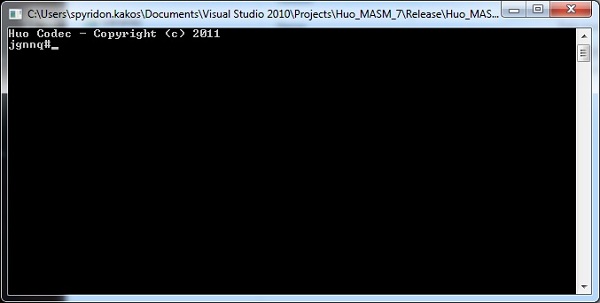
This article provides a simple example on how to program a small program in x86 assembly language. The technologies used will be MASM (the Microsoft Assembler now distributed with Visual Studio) and Microsoft Visual Studio 2010. Assembly programs offer the advantage of speed and full control over things that in other programming languages you cannot even touch. The example is a very simple example of basic text encryption and entails all basic assembly commands that one can use to start dealing with the magical realm of low level programming. And knowing how the computer responds at that level is crucial for someone who wants to be a programmer. Again, the main advice is one: EXPERIMENT! Try various commands you find in MASM manuals, change commands on your own, play with the memory and the registers.


Assembly Programming with Visual Studio 2010 - CodeProject
Enhanced by Zemanta

Tuesday, September 27, 2011

Deploying A Web Service

The Microsoft Visual Studio .NET logo.Image via WikipediaFor the past several months I've been working on a .Net program in Silverlight that employs a web service. IT took some time but I did make it work in Visual Studio 2010. The problem came when I wanted to deploy it to web server. It refused to work. The Silverlight App had the ASP.Net debugging activated and my webservice didn't so I had to add the following line to just before my web service's class instantiation:

And I had to make sure that the url in the ServiceReference.ClientConfig file and the configuration for the web service match the url for the web service *.svc file on the web server. I found this to be a problem when it came comes to trying to run the projects from inside Visual Studio 2010, I have to switch the url to match the local server. I also found out that I had to change the code for calling the web service.

Uri address = new Uri(Application.Current.Host.Source, "../YourService.svc"); // this url will work both in dev and after deploy.

var webService = new YourWebService.YourWebServiceClient("YourServiceEndPointName", address.AbsolutePath);
You can read the links I used to come up with this:


Deployment of Silverlight App + Silverlight-Enabled WCF Service to Production

Deploying Silverlight with WCF Services
Enhanced by Zemanta

Wednesday, February 9, 2011

WCF Service Library: a Good Approach for WCF Service Application - CodeProject

The Microsoft Visual Studio .NET logo.Image via WikipediaIntroduction to article

When create WCF projects, it is a good architectural approach to put all of the actual implementation into a WCF library, then use this library in a separate WCF service application project or in a non-WCF project. As such, the WCF library can be reused in many other places either due to regular class references from another non-WCF library/project, or due to different WCF deployment strategies either by web service in IIS, by windows service, or by command line launching. This article first introduces some simple steps to use a WCF service library in a WCF web service application. Later in the discussion section, it elaborates the reasons for doing so.
The effort of this article is to try to promote this seemly-simple but really overlooked good approach. For most of developers, this seemly-simple approach is always ignored. For all of the existing WCF web applications I met, I rarely saw one which is implemented with the WCF library approach. After read the elaborated and detailed reasons of using WCF library in the discussion section of this article, hopefully developers will become serious about this approach and use it thereafter.
The auto-generated code from the Visual Studio 2010 template will be used as the sample code with minimal modification so that readers can easily reproduce them.


WCF Service Library: a Good Approach for WCF Service Application - CodeProject
Enhanced by Zemanta

Sunday, January 16, 2011

Extending Visual Studio Setup Project - CodeProject

Introduction to Article

One of the things I hear all the time when companies talks for building reliable Windows Installer (MSI) for their product is –> Visual Studio Setup Project is not enough and we need much much more, my first response is – Wait, VS Setup project is not like Advanced Installer, InstallShield but still can do a lot more outside the box.
Setup projects are used to create Windows Installer (.msi) files, which are used to distribute your application for installation on another computer or Web server. There are two types of setup projects.
In this article I’ll show how to extend your VS Setup Project and help to understand how VS Setup makes it easy for developers to build reliable Windows Installer (MSI) in Visual Studio. (All my screenshots will take from Visual Studio 2010.)
  1. Getting Started With VS Setup Project
  2. Adding New User Dialog and Deployments Conditions
  3. Run External Application during Setup

Extending Visual Studio Setup Project - CodeProject
Enhanced by Zemanta

Tuesday, November 9, 2010

Walking Robot Series In WPF -- Part 2: Circles, Cylinders, Flat And Smooth Shading - CodeProject

Intro:
This is part 2 in the walking robot series where we create a simple animated robot character using C# code in WPF.
All the source for this article is included. The project builds in Visual Studio 2010.
Let's use the WpfCube class that we defined in the last article to create a simple environment:
Walking Robot Series In WPF -- Part 2: Circles, Cylinders, Flat And Smooth Shading - CodeProject
Enhanced by Zemanta

Sunday, November 22, 2009