Here are some links for finding out how to add a GUI for your Python scripts.
GUI Programming in Python
Graphic User Interface FAQ
Python GUI Programming (Tkinter)
3 open source Python GUI frameworks
Getting started with wxPython
This blog will hold favorite gadgets and graphic user interfaces that don't really fit in my main blog @ mmcelhaney.blogspot.com
Sunday, September 22, 2019
A Tour of Go
Want a scripting language and do not want to use Python? You can use Go. Here is an introductory site that allows you to test out and understand how Go works in an interactive environment.
A Tour of Go
A Tour of Go
Pythonista for iOS
Here is an interesting editor for Python for the iOS. I plan to try this app out for creating Python scripts. One of the things that it does that seems really amazing to me is writing User Interfaces for scripts without writing extra code.
Pythonista for iOS
Pythonista for iOS
Labels:
editor,
IDE,
iOS,
Python,
Pythonista,
Scripting,
Scripting language
Marvel Studios' Avengers: Infinity War Official Trailer
I loved "Infinity War". I know it has been out over a year, but I'm still not over it.
Thursday, January 4, 2018
Thursday, December 22, 2016
Thursday, May 12, 2016
compacting 2010 accdb database using VB 2012-VBForums
Here is the best method I found for programmatically compacting and repairing MS Access databases. It works!
compacting 2010 accdb database using VB 2012-VBForums
Sunday, April 10, 2016
Friday, February 26, 2016
AirDroid
A really great app that lets you have remote access to your android device!
Instructions: AirDroid Allows Remote Access & Control Of Android Over Wi-Fi Via Web Browser
https://play.google.com/store/apps/details?id=com.sand.airdroid
Instructions: AirDroid Allows Remote Access & Control Of Android Over Wi-Fi Via Web Browser
https://play.google.com/store/apps/details?id=com.sand.airdroid
Labels:
AirDroid,
Android,
App,
Remote Access,
Remote control
ScreenShare (tablet) - Android Apps on Google Play
Here is an android App I wanna try out to remote control and view an android device on another device
ScreenShare (tablet) - Android Apps on Google Play
Labels:
Android,
App,
Remote Access,
Remote control,
Screen Share
cardboard-games | all about google VR cardboard and Virtual reality games
Here is a link to VR cardboard games to try!
cardboard-games | all about google VR cardboard and Virtual reality games
Wednesday, January 20, 2016
Throttling WCF
I found some really great articles on configuring throttling for WCF Services
From
From
I was looking up resources via Google on the entire concept of throttling in WCF. There are some very good pages if you use Google; sadly, MSDN is most definitely not on the list as it is practically useless for anything except class definitions. I decided to try to put into one document an overview of how throttling works, along with some sample projects to help get your head around it.
WCF Performance Tuning
WCF is a programming platform that allows us to build, configure and deploy the network distributed services. Basically WCF works on a Service oriented concept. There are some points that can help us to improve the performance of WCF.
Windows Communication Foundation (WCF) includes a large set of performance counters to help you gauge your application's performance.
WCF throttling provides some properties that you can use to limit how many instances or sessions are created at the application level. Performance of the WCF service can be improved by creating proper instance.
| Attribute | Description |
|---|---|
| maxConcurrentCalls | Limits the total number of calls that can currently be in progress across all service instances. The default is 16. |
| maxConcurrentInstances | The number of InstanceContext objects that execute at one time across a ServiceHost. The default is Int32.MaxValue. |
| maxConcurrentSessions | A positive integer that limits the number of sessions a ServiceHost object can accept. The default is 10. |
Service Throttling can be configured either Adminstractive or Programatically

Tuesday, November 3, 2015
GitHub For Beginners: Don't Get Scared, Get Started - ReadWrite
Here is a good article about what GitHub is and how to use it!
GitHub For Beginners: Don't Get Scared, Get Started - ReadWrite
Silverlight 4.0 feature #1: Right click Mouse events [Context Menu]
Here is some code for get a right-click mouse event to work in silverlight!
Silverlight 4.0 feature #1: Right click Mouse events [Context Menu]
A C1 Visual Style aware Message Box - Our ComponentOne
Here ware two artcles about how to use the component one Message Box control for Silverlight. The message box the comes with Silverlight is really limiting. It only allows users to send "OK" and "Cancel" as responses. the Component One version gives a lot more options but the problem is it does not return any values so instead you have to do the following:
A C1 Visual Style aware Message Box - Our ComponentOne
and
http://our.componentone.com/groups/topic/c1messageboxresult/
C1MessageBox.Show("Do you want to delete?", "The question", C1MessageBoxButton.YesNoCancel, C1MessageBoxIcon.Question,
new System.Action<MessageBoxResult>((result) =>
{
switch (result)
{
case MessageBoxResult.Yes:
MessageBox.Show("You Pressed Yes");
break;
case MessageBoxResult.No:
MessageBox.Show("You Pressed No");
break;
case MessageBoxResult.Cancel:
MessageBox.Show("Are you sure you want to cancel");
break;
}
}));
A C1 Visual Style aware Message Box - Our ComponentOne
and
http://our.componentone.com/groups/topic/c1messageboxresult/
Labels:
ComponentOne,
MessagwBox,
Microsoft Silverlight,
Silverlight
WCF Throttling – Part 1 | Anders Lybecker's Weblog!
This is a great article regarding how WCF web services can be better optimized when running on IIS. I have been running into this problem when two or more users are trying to use my web service at the same time. I will conduct a few more tests but I think this will solve the problem
WCF Throttling – Part 1 | Anders Lybecker's Weblog!
Labels:
.Programming,
IIS,
WCF,
WCF Throttling,
Web services
Tuesday, October 6, 2015
Open Port Check Tool - Test Port Forwarding on Your Router
This tool will get you information on a port using the computer's IP Address. Super duper useful
Open Port Check Tool - Test Port Forwarding on Your Router
Hostname to IP address Lookup
You can use this tool to find the matching IP address to a hostname and vice versa
Hostname to IP address Lookup
Friday, August 21, 2015
PowerShell Scripts to Apply Configuration Transformations for App.Config or Web.Config Files - CodeProject
Handy article for Software developers
PowerShell Scripts to Apply Configuration Transformations for App.Config or Web.Config Files - CodeProject
Labels:
Powershell,
Programming,
Web,
Windows PowerShell
Using Cortana to get Foo Due - CodeProject
Here is an article on how to make a universal app leveraging Cortana! in VB.Net
Using Cortana to get Foo Due - CodeProject
Remote Desktop Application - CodeProject
Here is an article about how to code a remote desktop program!
Remote Desktop Application - CodeProject
Monday, August 10, 2015
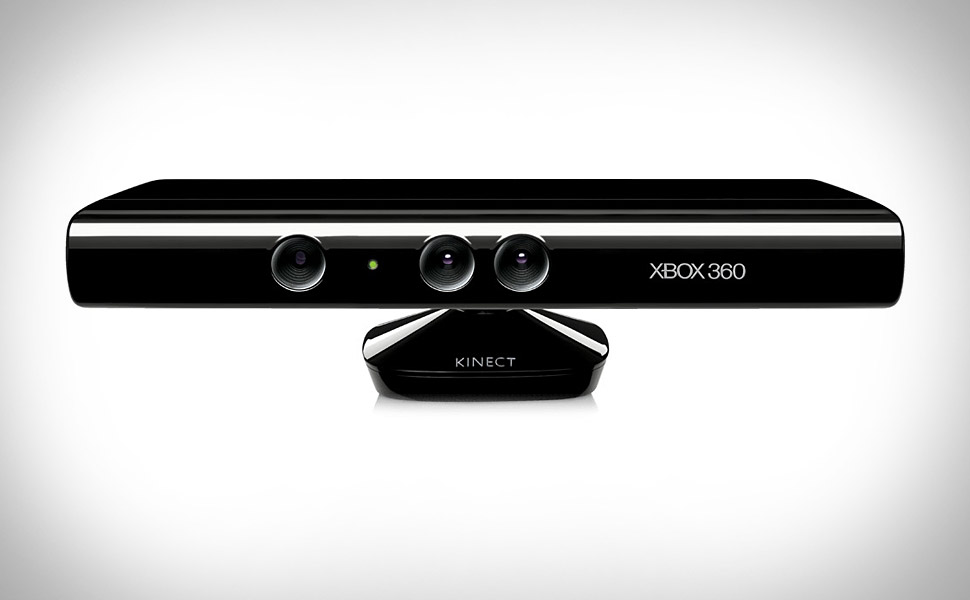
Install Microsoft Kinect on PC - CodeProject
Some practical steps to run Microsoft Kinect on a Windows PC
Install Microsoft Kinect on PC - CodeProject
Tuesday, August 4, 2015
FrequentlyAskedQuestions - selenium - WebDriver FAQs - Browser automation framework - Google Project Hosting
The following is an excerpt from an article about testing web apps by automating web browsers.
FrequentlyAskedQuestions - selenium - WebDriver FAQs - Browser automation framework - Google Project Hosting
Q: What is WebDriver?
A: WebDriver is a tool for writing
automated tests of websites. It aims to mimic the behaviour of a real
user, and as such interacts with the HTML of the application.
FrequentlyAskedQuestions - selenium - WebDriver FAQs - Browser automation framework - Google Project Hosting
Labels:
App,
Selenium,
Web,
web app,
Web application,
Web Browser,
Web driver,
webdriver
Thursday, May 14, 2015
Subscribe to:
Posts (Atom)